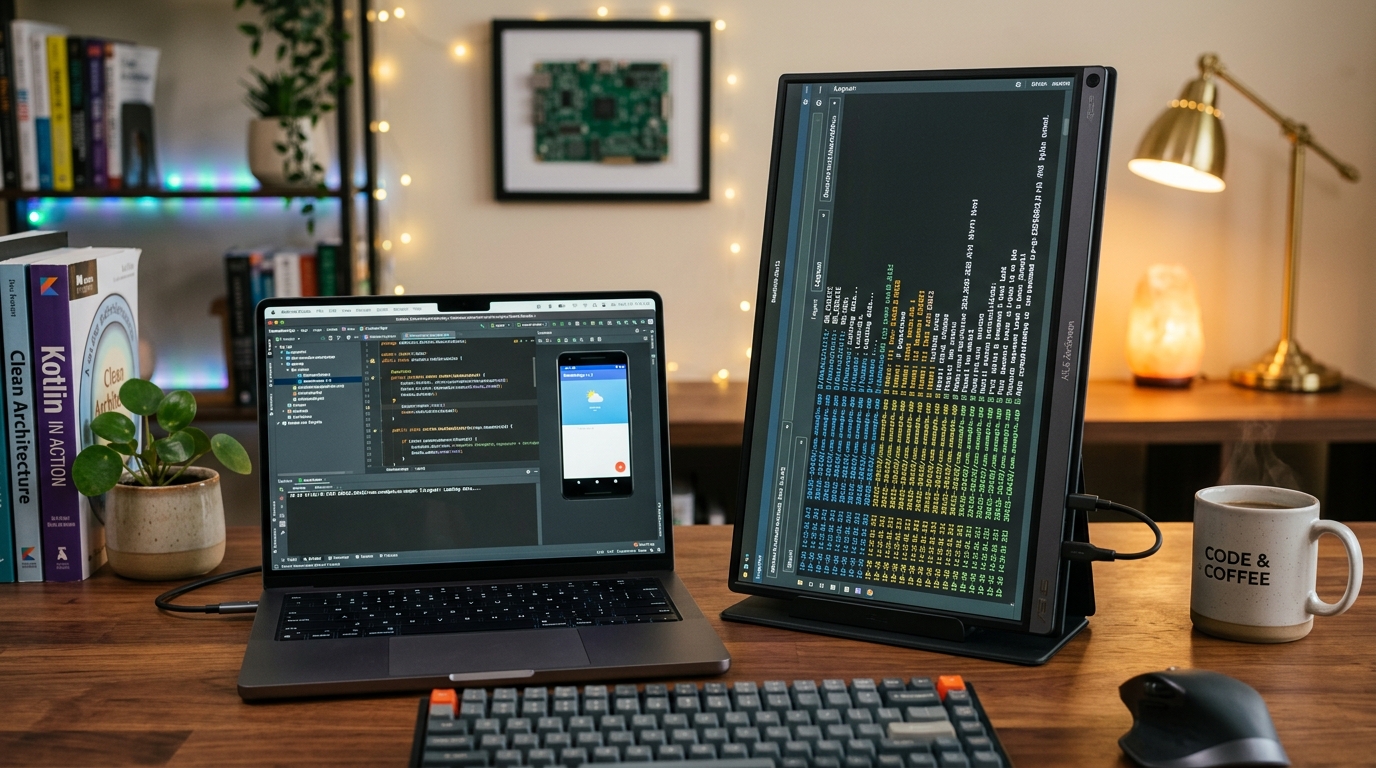
Optimizing the Build-Test-Debug Loop: Mapping Android Studio Hotkeys with the Keychron V1 QMK/VIA Keyboard
Shift+F10, Shift+F9, Ctrl+Alt+L, and Step Over (F8) can strain your left wrist over an 8-hour sprint. Here is how a fully programmable 75% mechanical board lets you bind complex IDE actions directly into firmware layers.

Alex Rivera
Mobile Architecture & QA Lead
Buy This Product on Amazon
Fast, trackable shipping with official manufacturer warranty & 30-day return policy.
What We Loved (Pros)
- Full open-source QMK and VIA firmware support stores custom macros directly inside onboard keyboard memory
- Programmable CNC aluminum rotary knob scrubs through code timelines, zooms layout previews, or controls volume
- Compact 75% layout preserves physical dedicated arrow keys and F1-F12 function row while reclaiming desk space
- Hot-swappable switch sockets allow swapping mechanical switches in minutes without soldering
- Sound-absorbing silicone pad and pre-lubed screw-in stabilizers deliver a deep, satisfying acoustic typing feel
Room For Improvement (Cons)
- Wired-only USB-C connectivity on the standard V1 (requires the V1 Max if wireless is mandatory)
- Taller mechanical keycap profile may benefit from a wrist rest during long typing sessions
- ABS plastic frosted chassis is durable, but lacks the heavyweight heft of full aluminum boards
Key Technical Specifications
Amazon Gaming Week Specials: Verified Lightning Discounts
Upgrade Your Console Today - Best Amazon Prices

In software engineering, the build-test-debug loop is your core heartbeat. You write twenty lines of Kotlin, refactor a repository function, run code formatting, trigger an incremental Gradle build, deploy to a connected test phone, and step through breakpoint frames in the debugger. When working at peak velocity, you execute this sequence dozens of times an hour.
Now observe your left hand while executing these standard Android Studio key combinations:
Shift + F10(Run App)Shift + F9(Debug App)Ctrl + Alt + L/Cmd + Option + L(Reformat Code)F8(Step Over) /F7(Step Into)Ctrl + Shift + A/Cmd + Shift + A(Find Action)
These awkward finger contortions—known affectionately among developers as "Emacs pinky"—slow down your thought process and create chronic tendon fatigue. Remapping these shortcuts in software settings can be fragile: your keymaps often get wiped during IDE updates or fail to carry over when pairing on another machine.
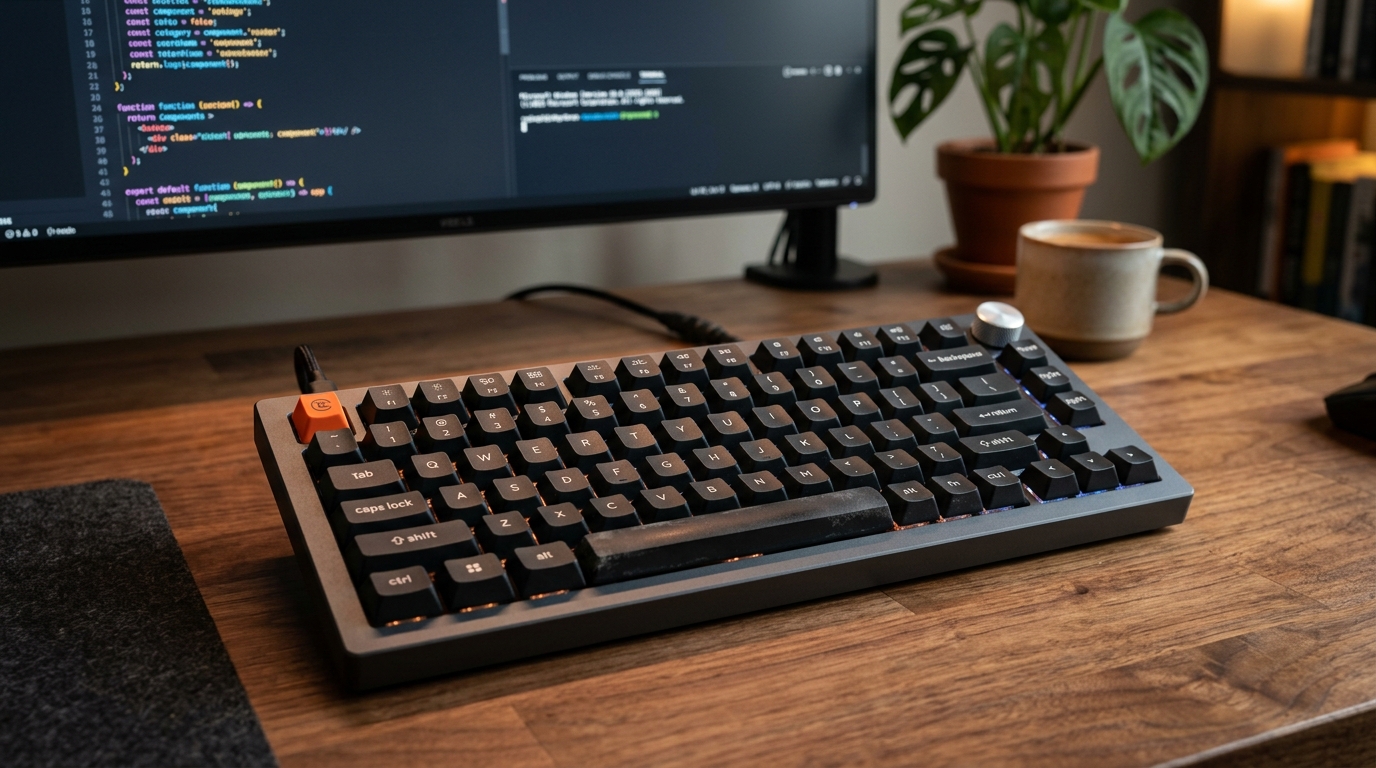
The definitive solution is hardware-level programmability. The Keychron V1 Custom Mechanical Keyboard (specifically the 75% Knob version) has become a staple on developer desks because it pairs an ergonomic physical footprint with the power of open-source QMK and VIA firmware. Here is how it transforms your daily Android coding workflow.
Why Hardware-Level VIA Remapping Changes Everything
Most commercial consumer keyboards rely on clunky proprietary desktop software that must run silently in the background, consuming RAM and occasionally crashing. Worse, if you plug your keyboard into a client laptop or a Linux test machine, your macros vanish.
The Keychron V1 runs open-source QMK (Quantum Mechanical Keyboard) firmware. You configure your keys through the browser-based VIA interface (no desktop software installation required). When you assign a macro or rebind a key, the instruction is flashed directly into the keyboard's onboard micro-controller memory.
Plug the Keychron V1 into macOS, Windows, Linux, or even an Android tablet in DeX mode, and your exact hotkey mappings work instantly with zero configuration.
The Android Studio Power Layer Setup
Because the Keychron V1 retains a dedicated top function row (F1–F12) while condensing the navigation cluster into a tidy 75% footprint, it saves valuable desk real estate for your mouse and test phone stand.
Using VIA's multi-layer system, you can keep Layer 0 as your standard typing keyboard, while holding down your Fn key (or tapping an assigned macro key) transforms your function cluster into dedicated Android deployment triggers:
| Key Position | Standard Function | Custom Android Studio Macro (QMK Firmware) |
|---|---|---|
| Rotary Knob (Turn) | Volume Up / Down | Scrub Git Timeline / Diff History: Turning the knob scrolls horizontal diffs. |
| Rotary Knob (Click) | Mute Audio | Run Project (Shift + F10): Single tap on the metal knob builds and deploys to device. |
| Macro Key 1 (Page Up) | Page Up | Debug Project (Shift + F9): Immediate debugger attach. |
| Macro Key 2 (Page Down) | Page Down | Clean Reformat (Cmd+Alt+L / Ctrl+Alt+L): Formats Kotlin code and optimizes imports. |
| Macro Key 3 (Delete) | Delete | Clear Logcat Buffer: Clears noisy logs before executing a new test flow. |
Typing Acoustics and Switch Customization
Coding involves sustained typing. The Keychron V1 features double-shot PBT keycaps in an ergonomic OSA profile that resist finger oil and shine over years of heavy use. Beneath the keycaps, an integrated sound-absorbing silicone pad eliminates hollow plastic clatter, producing a clean, muted acoustic profile that won’t irritate colleagues in collaborative offices.
Because the PCB is hot-swappable, you can swap out switches in minutes using the included switch puller without touching a soldering iron. If you prefer smooth, linear switches for rapid keystrokes, the Keychron K Pro Red switches are whisper-quiet. If you prefer a subtle tactile bump to confirm code indentation, the K Pro Brown switches offer tactile feedback without loud clicky noise.
Desk Bench Synergy
The compact 75% form factor of the V1 leaves ample room on your desk for a dedicated phone stand like the LISEN adjustable stand right next to your dominant hand, keeping your Pixel test device at eye level. By connecting your keyboard, test handset, and high-speed Samsung T7 Shield SSD through an Anker 555 hub, you achieve a clean, single-cable workstation setup that takes seconds to plug in.
Frequently Asked Questions
Is the Keychron V1 compatible with both macOS and Windows?
Yes. The back panel features a physical toggle switch to alternate between Mac and Windows key layouts. Keychron also includes replacement keycaps for Command/Option and Windows/Alt keys in the box.
Can I use this keyboard wirelessly?
The standard Keychron V1 is a wired-only keyboard with a high-polling 1,000 Hz USB-C connection. If wireless Bluetooth and 2.4GHz connectivity are strict requirements for your setup, look at the upgraded Keychron V1 Max model, which shares the same QMK/VIA programmability.
Do I need programming skills to use VIA software?
No. VIA is a visual web app (useusevia.com). You simply click the physical key on an on-screen diagram and select what action or keystroke combination you want it to trigger. Changes take effect on the keyboard immediately without compiling code.
Final Assessment
The Keychron V1 is one of the most cost-effective hardware enhancements a professional Android engineer can add to their desk. By moving complex multi-key IDE shortcuts directly into onboard keyboard memory and providing a programmable aluminum knob for build commands, it accelerates your daily development loop while protecting your hands from repetitive strain.
VERIFIED AMAZON AFFILIATE LINK
Ready to upgrade your gaming setup?
Click below to lock in the lowest guaranteed Amazon price, check customer reviews, and claim free Prime shipping.
Check Price & Buy on Amazon ($89.99)Related Hardware & Game Guides on ReviewSeen
Field-Testing Location Tracking & Background Sync: The Power Bank Setup Android QA Teams Actually Need
Preventing Cable Strain and False Touch Events: A Heavy-Duty Desktop Stand for Hands-Free ADB Debugging
Navigating Massive Logcat Dumps and Wide Code Diffs: Why Android Developers Swear by the Logitech MX Master 3S